
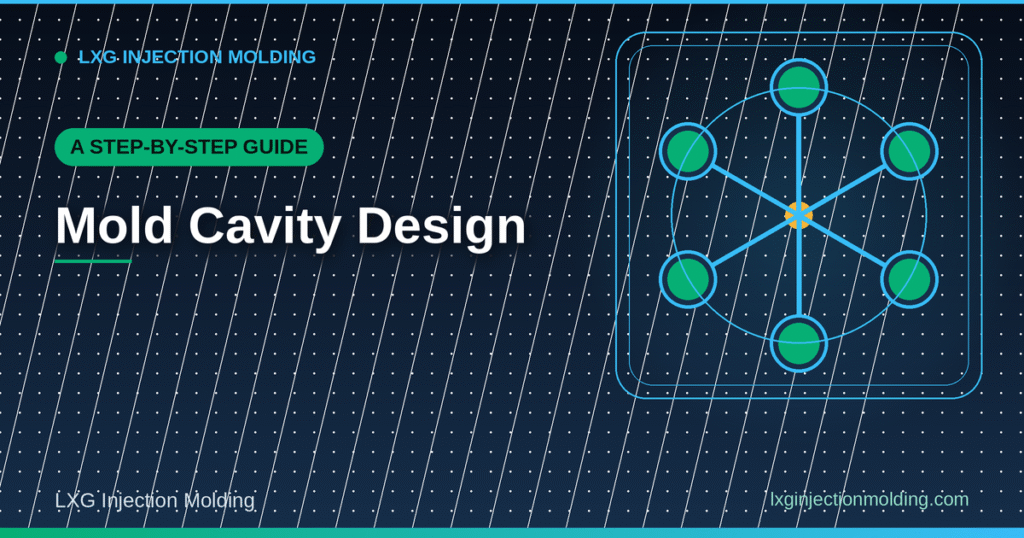
A Step-by-Step Guide: Mold Cavity Design
Summary
Cavity design determines far more about a mold’s performance than most teams expect going in – it sets how evenly every cavity fills, how consistent parts are cavity-to-cavity, and how much of the tool’s cycle time is spent waiting on cooling rather than producing parts. Getting it right means working through cavity count, layout, runner balance, cooling, and gate placement as connected decisions rather than independent ones. This guide walks through that process step by step, from choosing how many cavities a tool should carry through to the validation checks that confirm the design actually performs as planned.
Key Takeaways
- A practical cavity count range runs from 4 to 32, set by part size, annual volume, flow behavior, and available press tonnage.
- Symmetrical layouts give every cavity an identical flow path length from the sprue, which is the simplest route to balanced filling.
- Cooling accounts for roughly 70% of total cycle time, making cooling layout one of the highest-leverage design decisions.
- Parallel cooling circuits keep temperature uniform across cavities; series circuits create thermal gradients and inconsistent parts.
- Hot-runner systems with valve gates suit high-cavity tools; cold runners are more practical for 2–4 cavity molds.
- Validation – short-shot analysis, cavity pressure monitoring, dimensional capability studies – confirms balance before full production.
Step 1: Set the Cavity Count
Cavity count is not simply a question of “as many as will fit.” It should come out of part size, expected annual volume, how the chosen resin flows, and the tonnage of the press the tool will run on. A practical range for most programs spans 4 to 32 cavities, though small, simple geometries – caps, seals, connectors – can support higher counts while keeping shot size and clamp force manageable. Setting cavity count too high for the available press tonnage is a common early mistake that forces compromises later in gate and runner design just to make the tool fit the machine.
Step 2: Choose a Layout
Once cavity count is set, layout determines how evenly those cavities fill. A symmetrical arrangement – radial or H-pattern – gives every cavity an identical flow path length from the sprue, which is the simplest and most reliable route to balanced filling without extra engineering. Asymmetrical or in-line layouts can work, but they require artificially balancing the runners to compensate, which adds design complexity and risk.
| Layout Type | Flow Balance | Best Fit |
|---|---|---|
| Radial / H-pattern (symmetric) | Naturally balanced – equal path length to every cavity | Most multi-cavity programs |
| In-line (asymmetric) | Requires artificial balancing of runner diameters | Space-constrained tools |
| Family layout (different parts per shot) | Balanced by design intent, not geometry alone | Components from the same assembly |
Step 3: Balance the Runner System
Runner balance prevents over-packing, flash, and short shots across the cavity set. Engineers reach it one of two ways: a naturally balanced symmetric layout, or an artificially balanced runner where branch diameter and length are adjusted to equalize flow resistance across an asymmetric layout. One common misconception is worth flagging directly – simply making runners bigger does not automatically improve fill balance. Balance comes from precise sizing relative to each cavity’s flow path, not from oversizing every channel. Simulation tools such as Moldflow or Moldex3D are standard practice here, modeling pressure drops across the full runner system before the tool is ever cut.
Working through a multi-cavity tool design?
Share your part geometry and target volume and we’ll help you think through cavity count and layout before cutting steel.
Step 4: Design the Cooling Layout
Cooling deserves special attention because it consumes roughly 70% of total cycle time – more than fill, pack, and ejection combined. Parallel cooling circuits, which deliver coolant simultaneously to all cavities, keep temperature uniform across the tool; series circuits run coolant through cavities sequentially and create thermal gradients that show up as inconsistent part quality from one cavity to the next. Where geometry allows, conformal cooling channels that follow the cavity contour – typically produced through metal additive manufacturing – can reduce cycle time by 20 to 40% compared with traditional straight-drilled channels.
Step 5: Place the Gates
Gate placement and type should match the cavity count established in step 1. Cold runners are the simpler, lower-cost choice and suit low-cavity tools, generally 2 to 4 cavities, where the material wasted in the runner system stays manageable. Hot-runner systems with valve gates make more sense as cavity count rises: they allow sequential filling, which reduces weld-line visibility and improves consistency across a larger cavity set, at the cost of a more complex and more expensive tool.
Deciding between a cold-runner and hot-runner approach?
Tell us your cavity count and production volume and we’ll help you weigh the tradeoffs for your specific tool.
Step 6: Validate Before Full Production
A cavity design is not finished when the tool is cut – it is finished once it is validated in the press. Standard validation includes short-shot analysis to confirm every cavity fills correctly at the intended process window, cavity pressure monitoring to catch imbalance that visual inspection would miss, and dimensional capability studies, typically targeting a Cpk of 1.33 or higher, to confirm the tool can hold tolerance consistently across every cavity rather than just on average.
Common Cavity Design Mistakes to Avoid
A handful of mistakes account for most of the cavity balance problems that show up after a tool is already cut, and they are worth checking for deliberately during design review rather than discovering them on the press.
| Mistake | Why It Causes Problems |
|---|---|
| Setting cavity count to match a budget rather than press tonnage | Forces an underpowered press to run an overloaded shot, risking flash and short shots |
| Defaulting to an in-line layout for convenience | Requires artificial runner balancing that is easy to get wrong without simulation |
| Oversizing runners to “be safe” | Does not fix imbalance and can actually worsen fill timing between cavities |
| Treating cooling as an afterthought to cavity layout | Locks in a cooling design that cannot be meaningfully improved without recutting the tool |
| Skipping cavity pressure monitoring during validation | Lets a subtle imbalance pass qualification and surface later as a quality drift in production |
Most of these mistakes trace back to the same root cause: treating cavity count, layout, cooling, and gating as a sequence of independent choices made by whoever happens to be responsible for each one, rather than as a single connected design worked through by one team with visibility into all of it at once.
How Cavity Design Connects to Other Tooling Decisions
Cavity count and layout rarely stand alone – they interact with several other decisions made around the same point in a program. Material choice affects flow behavior enough to change the layout that balances best; our guide to injection molding materials covers how resin properties feed into tooling decisions like these. Gate design in particular is tightly coupled to cavity layout, since gate location and type both follow from how the cavities are arranged; see our guide to gate design for more on that relationship. And because cooling layout is such a large share of cycle time, teams focused on throughput should also look at our guide to injection molding cycle time, which covers the cycle-time side of the same design decisions from a different angle.
Sustainability-focused programs weighing cavity count against material strategy may also want to look at our guide to bioplastic injection molding, since bio-based resins can behave differently in multi-cavity flow than conventional petroleum-based resins and may call for adjustments to the layout chosen in step 2.
Getting Cavity Design Right From the Start
Programs that treat cavity design as a sequence of connected decisions – count, layout, runner balance, cooling, gates, validation – generally end up with tools that run more consistently and need fewer corrective changes once in production. A supplier offering custom injection molding services should be able to walk through each of these steps specifically for your part rather than defaulting to a generic cavity layout regardless of geometry. A plastic injection molding company in Spain quoting a multi-cavity tool should be willing to discuss cavity count and layout tradeoffs as part of the quoting conversation, not only after the tool design is already finalized.
When to Bring Cavity Design Into the Conversation
Cavity design works best as an early conversation, ideally during part design for manufacturing review rather than after the part geometry is frozen. Wall thickness, draft angle, and feature placement all affect how many cavities a part can reasonably support and how evenly they will fill, so raising cavity count and layout while the part design is still flexible gives far more room to optimize than raising it once the geometry is locked and only the tool is left to adjust.
Conclusion
Good cavity design is a sequence, not a single choice: set cavity count against real production needs, choose a layout that balances naturally where possible, size runners precisely rather than generously, design cooling around the fact that it dominates cycle time, match gate type to cavity count, and validate with real data before committing to full production. Tools designed this way run more predictably from the first qualified shot onward, which is worth the extra design time compared with correcting an unbalanced cavity layout after the mold is already cut.
Frequently Asked Questions (FAQs)
How many cavities should a mold have?
There is no universal number – a practical range is 4 to 32 cavities, set by part size, annual volume, material flow behavior, and available press tonnage rather than a fixed rule.
Why does cavity layout matter so much for part consistency?
A symmetric layout gives every cavity an identical flow path length from the sprue, which naturally balances filling. An asymmetric layout requires artificial runner balancing to achieve the same consistency.
Does increasing runner diameter improve cavity balance?
Not on its own. Balance comes from precisely sizing each runner branch relative to its cavity’s flow resistance, not from simply making every channel larger.
Why is cooling layout such a big factor in cavity design?
Cooling accounts for roughly 70% of total cycle time, more than any other phase, so how cooling channels are arranged has an outsized effect on both cycle time and part-to-part consistency.
When should a mold use a hot runner instead of a cold runner?
Cold runners are generally practical for 2 to 4 cavity tools where material waste stays manageable. Hot runners with valve gates make more sense for higher cavity counts, where sequential filling improves consistency across more cavities.
How do I know if a cavity design is actually balanced once the tool is built?
Through validation: short-shot analysis to confirm fill across every cavity, cavity pressure monitoring to catch imbalance, and dimensional capability studies targeting a Cpk of 1.33 or higher before full production begins.
At what stage of a project should cavity design be discussed?
As early as possible, ideally during design-for-manufacturing review while the part geometry is still flexible, since wall thickness, draft, and feature placement all influence how many cavities a part can realistically support.
A Beginner’s Guide: Medical Device Molding
A Beginner's Guide: Medical Device Molding Summary Medical device molding involves regulatory, quality, and material requirements that go well beyond...
October 3, 2026

Frequently Asked Questions: Injection Molding Cycle Time
Frequently Asked Questions: Injection Molding Cycle Time Summary Cycle time directly determines how many parts a molding machine can produce...
October 3, 2026

Tips for Choosing the Right Approach: Mold Life Cycle Management
Tips for Choosing the Right Approach: Mold Life Cycle Management Summary Mold life cycle management covers everything from initial tooling...
October 3, 2026

 20+ Years Experience